
Export Package
Export creates a self-contained scenario package that can be moved to LOFT-Sim. Run validation first when you want the package to represent a reviewed scenario.
Export the Package
- Save the project layers and configuration files.
- Open Configuration > Export Package. A folder chooser titled Choose
Where to Place the Export Package opens in the project’s
exportfolder. - Choose the folder that should contain the package and click Place Package
Here. The package is written into a new subfolder named after the
project. The project folder itself, or its
networkorconfigfolder, cannot be the target: choosing one shows an error and asks for another folder. - If the project has no
config/simulation_config.xmlyet, the export writes one first. - Open the exported folder and check that the expected files exist.
Run in LOFT-Sim
LOFT-Sim has no project picker; it runs from the command line against the
package’s config/simulation_config.xml.
- Open a terminal in the LOFT-Sim repository root with its environment active.
- Validate the package:
loft-sim validate -c <package>/config/simulation_config.xml. - Run it:
loft-sim run -c <package>/config/simulation_config.xml --guiopens the browser viewer. Without--guithe run is headless, because the editor writesgui=falseinto thesimulation_config.xmlit generates. - Inspect the viewer and the output files, which are written to the output
paths in the config (
export/sim_outputs/inside the package).
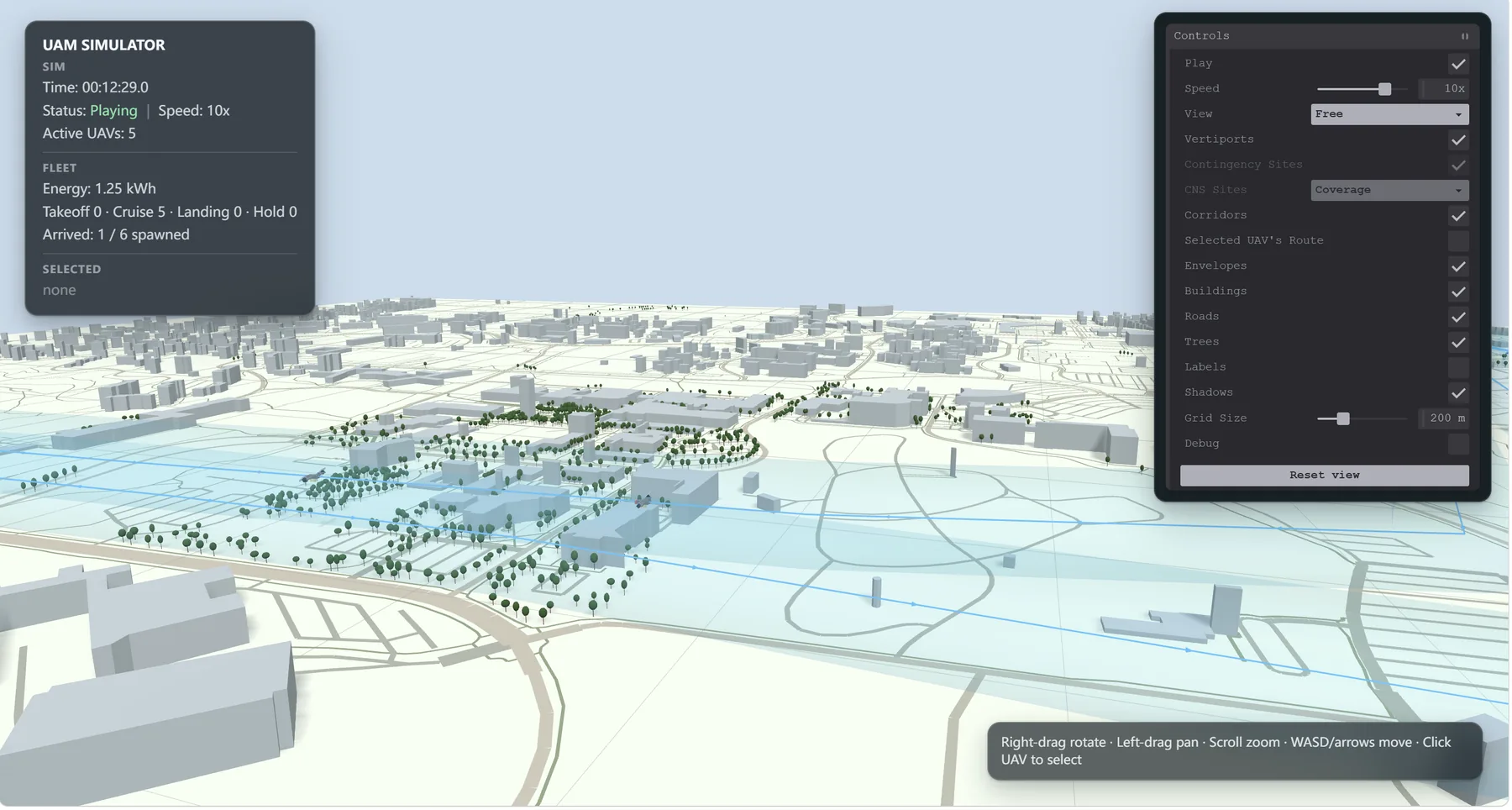
After the run:
- Output Files describes
each file written to
export/sim_outputs/. - Batch Replication
runs the package with several random seeds, for example
loft-sim batch -c <package>/config/simulation_config.xml --batch-runs 4 --batch-workers 2. - The Build an ACI Controller tutorial
controls a running simulation from Python. Start the package with
aci.start(config_file="<package>/config/simulation_config.xml", gui=False).
Expected Package Content
| Item | Purpose |
|---|---|
network/airspace_network.osm |
Main airspace network. |
network/infrastructure.osm |
CNS site layer when present. |
| Background OSM | Optional map context for the viewer; LOFT-Sim does not need it to run. |
config/demand_config.xml |
Route and OD flow streams. |
config/simulation_config.xml |
Runtime, inputs, outputs, and intervals. |
config/additional.xml |
Smoothing and supported additional settings. |
config/operation_strategy.xml |
Strategy input when the scenario references it. |
package_manifest.json |
Package inventory and provenance. |
Exported Folder
After export, the package should appear as one scenario folder containing the
network, config, package metadata, and any required background or
infrastructure files. When the source project has no background, export writes
an empty network/empty_map.osm, so every package has the same layout.
<package>/
|-- config/
|   |-- additional.xml
|   |-- demand_config.xml
|   |-- operation_strategy.xml      # when the scenario references one
|   `-- simulation_config.xml
|-- export/
|   `-- sim_outputs/                # LOFT-Sim run outputs
|-- network/
|   |-- airspace_network.osm
|   |-- <background>.osm            # empty_map.osm when the project has no background
|   `-- infrastructure.osm          # when the project has CNS sites
`-- package_manifest.json