
Open source · Urban air mobility · Fast-time
Fast-time simulation platform for low-altitude air mobility
Design structured airspace in LOFT-Edit, then run and compare operating policies in LOFT-Sim, in one reproducible environment.
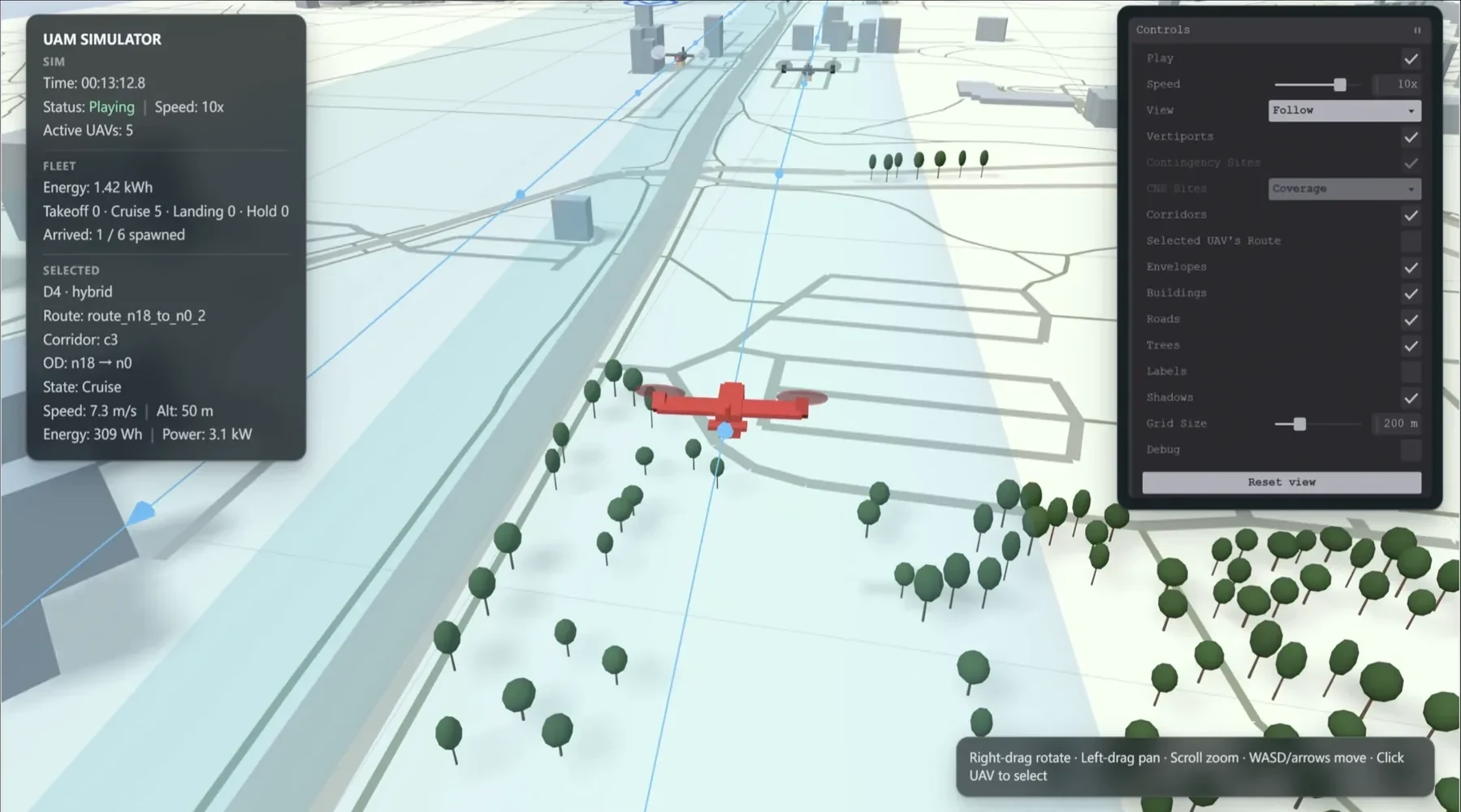
Platform demo
From a study area to a running scenario.
Build the network in LOFT-Edit, add demand and a policy, validate, export, and watch it run in LOFT-Sim.
Key features
Built on real geography. Operated as a network.
Real-world geography
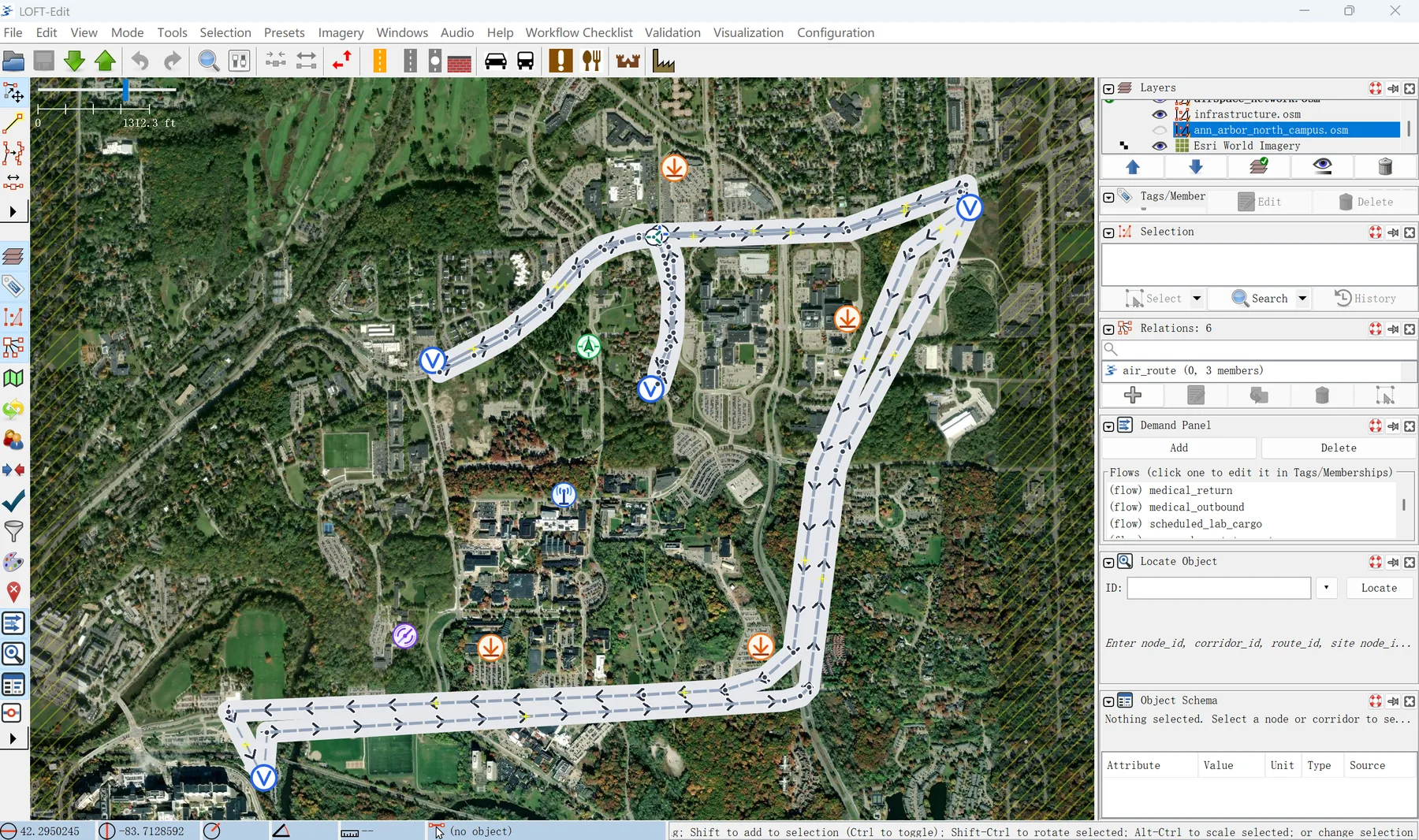
Airspace designed over the real world
Networks are drawn in LOFT-Edit directly on OpenStreetMap. Land use, buildings and the road network underneath tell you where corridors, vertiports and contingency sites belong.
- Start from any study area by exporting an OpenStreetMap extract
- Draw corridors, vertiports, crossing points, CNS sites and contingency landing sites
- Smooth the geometry, validate the scenario and export it in one click
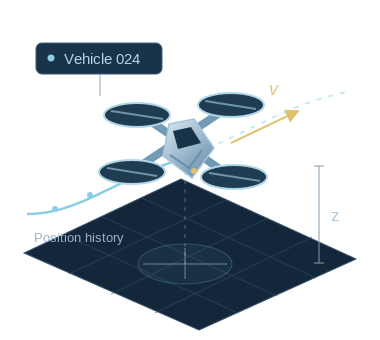
- Position / x, y
- 128.4, 64.2 m
- Altitude / z
- 60.0 m
- Ground speed
- 12.5 m/s
- Flight mode
- Cruise
Network operation layer
Airspace resources are simulation objects
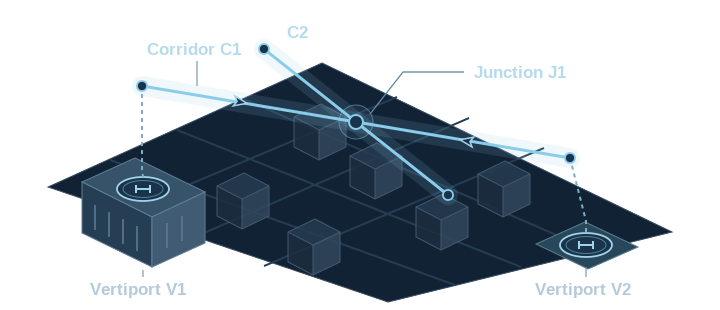
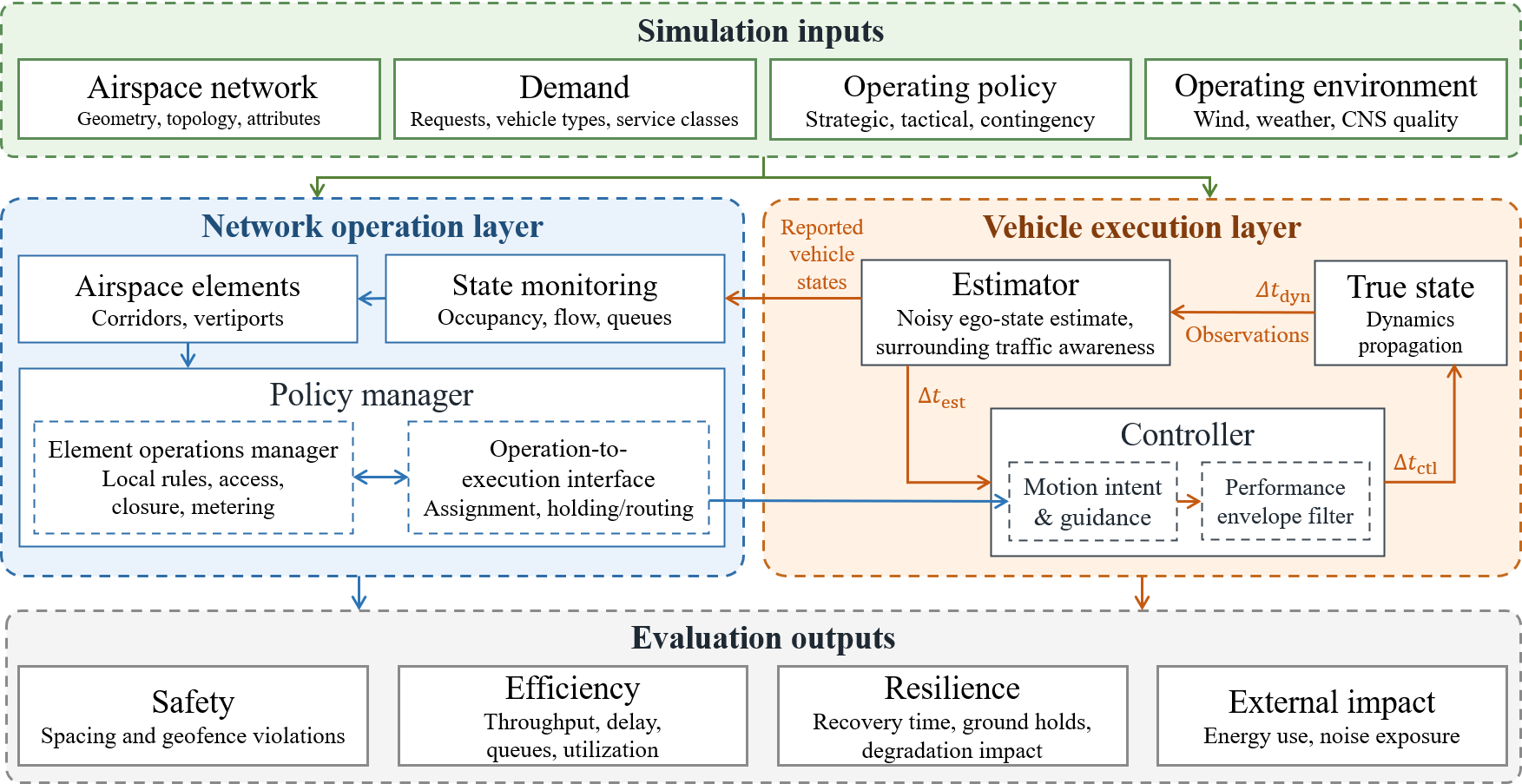
A network operation layer runs above vehicle execution. Corridors, vertiports and junctions, defined in LOFT-Edit, are directly managed simulation objects: inside the simulation loop you retrieve their state and control it.
- Monitor occupancy, flow, queues and closures for every resource
- Apply policies to resources and turn them into per-flight instructions
- Control resources from XML strategies or from Python through the ACI
Architecture
From scenario inputs to evaluation outputs
Four scenario inputs feed a two-layer fast-time core. Element and vehicle histories support evaluation in four dimensions.
Create
Draw the network and write demand and configuration in LOFT-Edit.
Validate
Scenario-wide checks with one-click fixes.
Simulate
Headless, in the browser viewer, or as parallel replications.
Evaluate
Compare delay, spacing, queues and energy across policies.
What is included
Everything from airspace concept to controlled experiment
LOFT-Edit
JOSM-based editor for networks, demand, validation and export.
Digital airspace network
Plain OSM files: 3D corridors, vertiports, nodes, routes, CNS sites.
Demand models
Origin-destination or route flows, stochastic or scheduled.
Operation strategies
4D reservation, capacity-limited departure, DCB, tactical rules.
Environment and CNS
Wind, degraded navigation and communication, surveillance coverage.
Airspace Control Interface
Python API to observe and override a running simulation.
Browser viewer
Live telemetry over the base map; the viewer downloads itself on first run.
Replication and outputs
Parallel random seeds and SUMO-style XML outputs.
Get started
Run a sample simulation
# Get LOFT-Sim
git clone https://github.com/michigan-traffic-lab/LOFT-Sim.git
cd LOFT-Sim

# Install
pip install -e .

# Run the sample scenario
loft-sim runCitation
Paper in preparation
A paper describing LOFT-Sim is being written. Citation details will appear here when it is published; until then, please cite the repository.